#What are portfolios and how do I create one?
 FAQ: This is the help centre of ELITEDOMAINS. We are a domain provider that lets you manage domains simply and smartly. We also run a domain catcher, a domain marketplace and attractive landing pages to sell domains automatically.
Contents
A portfolio is a page of its own on ELITEDOMAINS on which you show a selection of your sale pages as a collection. You put the domains together manually or let filters update them automatically. You send a portfolio privately to buyers via link or make it public so that ELITEDOMAINS also promotes it on the marketplace.
#1) What is a portfolio?
With a portfolio you collect domains you sell on one page, for example all short domains or all domains on one topic. Buyers see your domains with prices there and, depending on the setting of the sale page, buy them by buy now or send you a price offer. Every domain in the portfolio therefore needs a sale page.
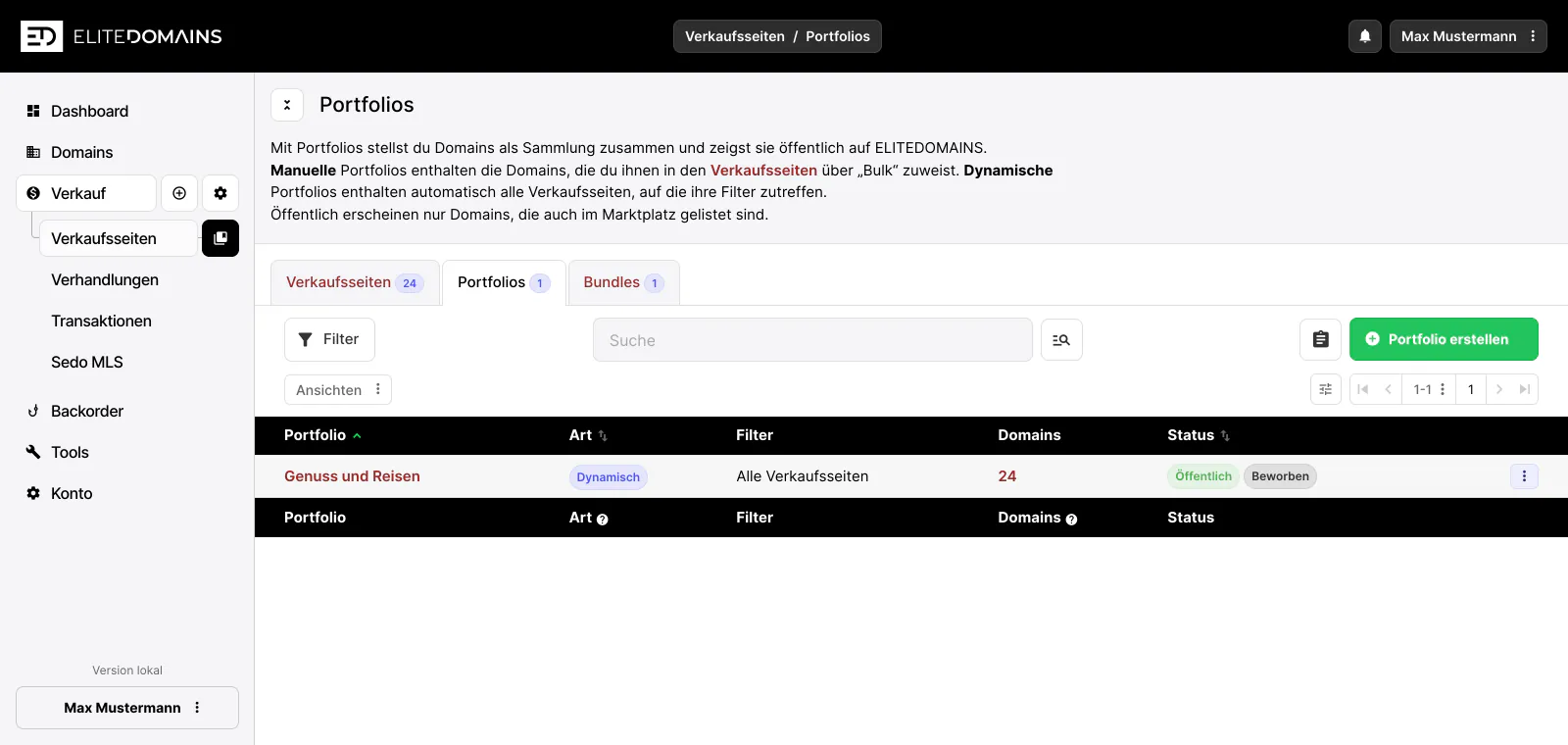
You find your portfolios under „Verkauf“ → „Verkaufsseiten“ (Sale → Sale pages) in the tab „Portfolios“.
#2) What is the difference between manual and dynamic portfolios?
When creating it, you choose the type of portfolio:
- „Manuell“ (manual): You assign the domains yourself. To do so, select the desired domains under „Verkaufsseiten“ and choose „Bulk“ → „Zu Portfolio hinzufügen“ (add to portfolio). With „Aus Portfolio entfernen“ (remove from portfolio) you take them out again.
- „Dynamisch“ (dynamic): Filters determine which domains are in the portfolio, for example tags, extensions, a price range or a term in the domain name. New sale pages that match the filters are added automatically. Without filters, the portfolio contains all your sale pages.
If you later switch from dynamic to manual, the domains that the filter last found stay in the portfolio. When you switch to dynamic, the filter decides again, and the manually assigned domains drop out.
#3) How do I create a portfolio?
You have two ways for a new portfolio:
- „Portfolio erstellen“ (create portfolio): In the tab „Portfolios“, click „Portfolio erstellen“, enter a title and choose the type.
- „Filter als Portfolio speichern“ (save filter as portfolio): You filter the table of sale pages as you need and choose „Bulk“ → „Filter als Portfolio speichern“. This creates a dynamic portfolio with exactly these filters.
In the portfolio settings you then add the address, i.e. the last part of the link to the portfolio page. If you change it later, old addresses forward. There is also a description of at most 1,000 characters and a wide cover image as JPG, PNG or WebP with at least 1200 × 250 pixels and at most 2 MB.
You can also create portfolios via the API or your AI assistant via the MCP server. You only upload the cover image in the app.
#4) Who can see my portfolio?
A new portfolio is private at first. In the publishing settings you decide who sees it:
| Setting | Effect |
|---|---|
| „Aktiv“ (active) | Only an active portfolio can be reached. A deactivated one cannot be seen anywhere, but its link stays reserved. |
| „Privat“ (private) | Only reachable with the access key in the link and blocked for search engines. This way you send a selection to chosen buyers. |
| Public (private switched off) | Visible to everyone and to search engines. It only shows domains that are also listed on the marketplace. |
| „Auf ELITEDOMAINS veröffentlichen“ (publish on ELITEDOMAINS) | ELITEDOMAINS promotes the portfolio, for example on the marketplace and on overview pages. This only applies as long as it is public. |
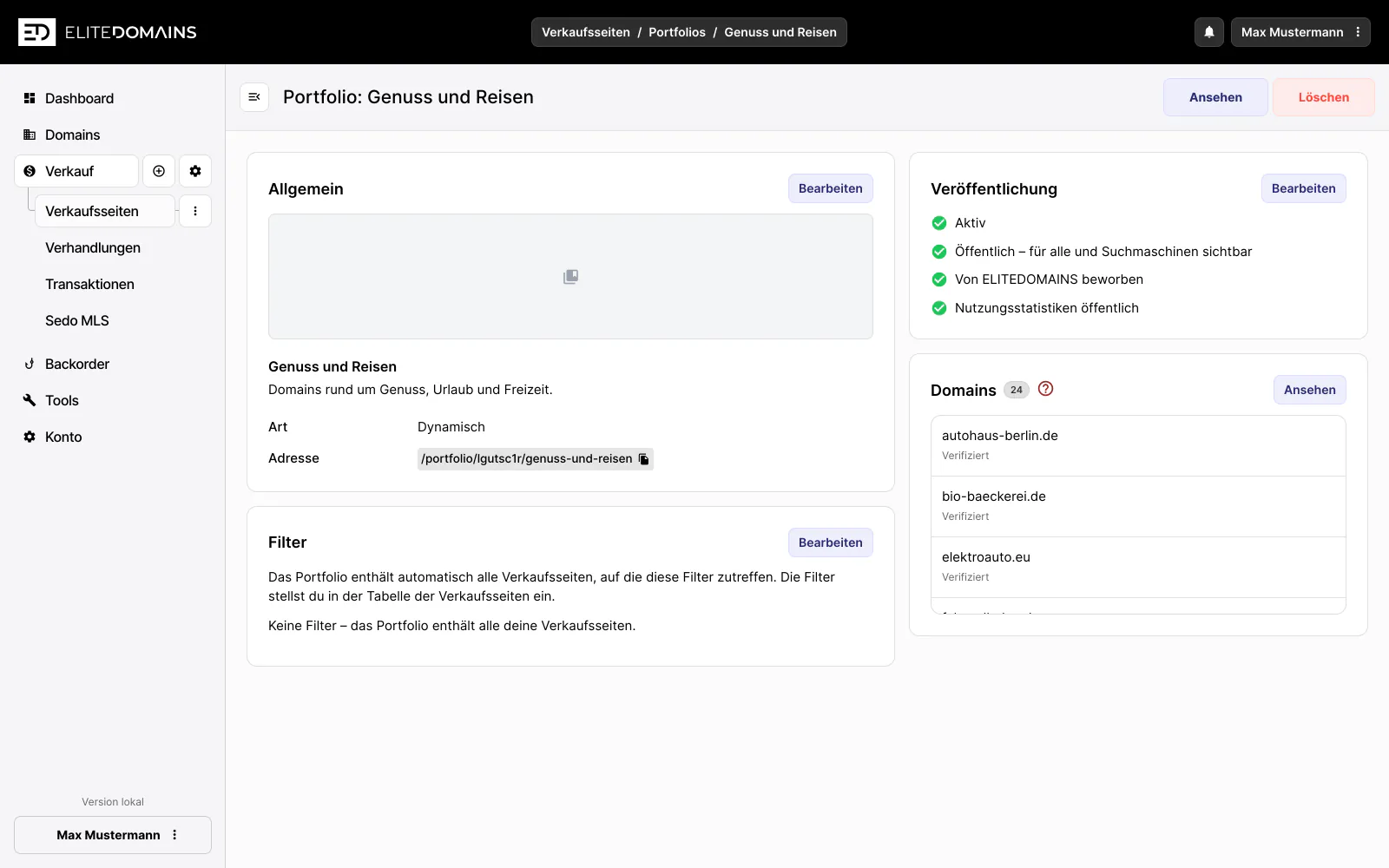
In the list of your portfolios, the status shows whether a portfolio is „Privat“ (private), „Öffentlich“ (public), „Beworben“ (promoted) or „Deaktiviert“ (deactivated).
#5) Can I show visitor statistics in the portfolio?
Yes. With the setting „Nutzungsstatistiken veröffentlichen“ (publish usage statistics) you show the visitor statistics of your domains on the portfolio page. Buyers can see how much in demand a domain is. Your own figures per sale page are in the sale page statistics.
- What are backlink domains (expired traffic domains)?
- How do I sell several domains as a bundle?
- What should I know before buying a domain?
- How does buy now with escrow service work?
- How do contact requests on sale pages work?
- How do I create a sale page for my domain?
- How do I verify my domain with a TXT record?
- How can I sell domains with ELITEDOMAINS?
- Which templates are there for sale pages?
- How do negotiations work when selling a domain?
- How does my domain get onto the marketplace?
- What is the Sedo MLS network?
- What price should I set for my domain?
- How do I synchronise domains with Sedo (MLS sync)?
- Which statistics do the sale pages show?
- How is VAT calculated for sellers?
- Bought a domain – what now? How the transfer works
- How do I verify external domains for sale pages?
Last updated on 28/11/2026 at 21:07
Let's go!
Create your account now
Register your next domain with us and compare us with your current provider. The account is free.
Join for free now
