#Which templates are there for sale pages?
 FAQ: This is the help centre of ELITEDOMAINS. We are a domain provider that lets you manage domains simply and smartly. We also run a domain catcher, a domain marketplace and attractive landing pages to sell domains automatically.
Contents
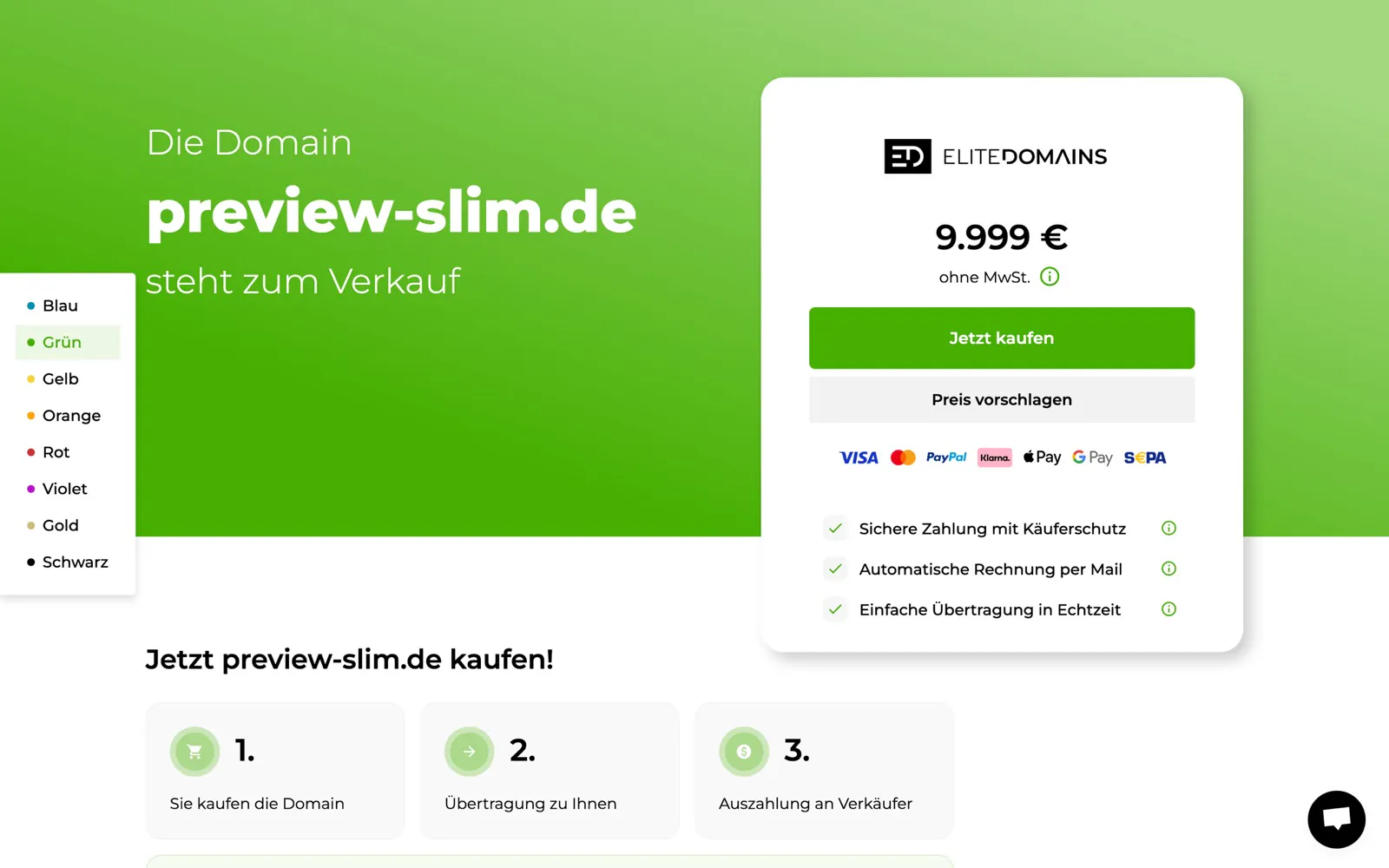
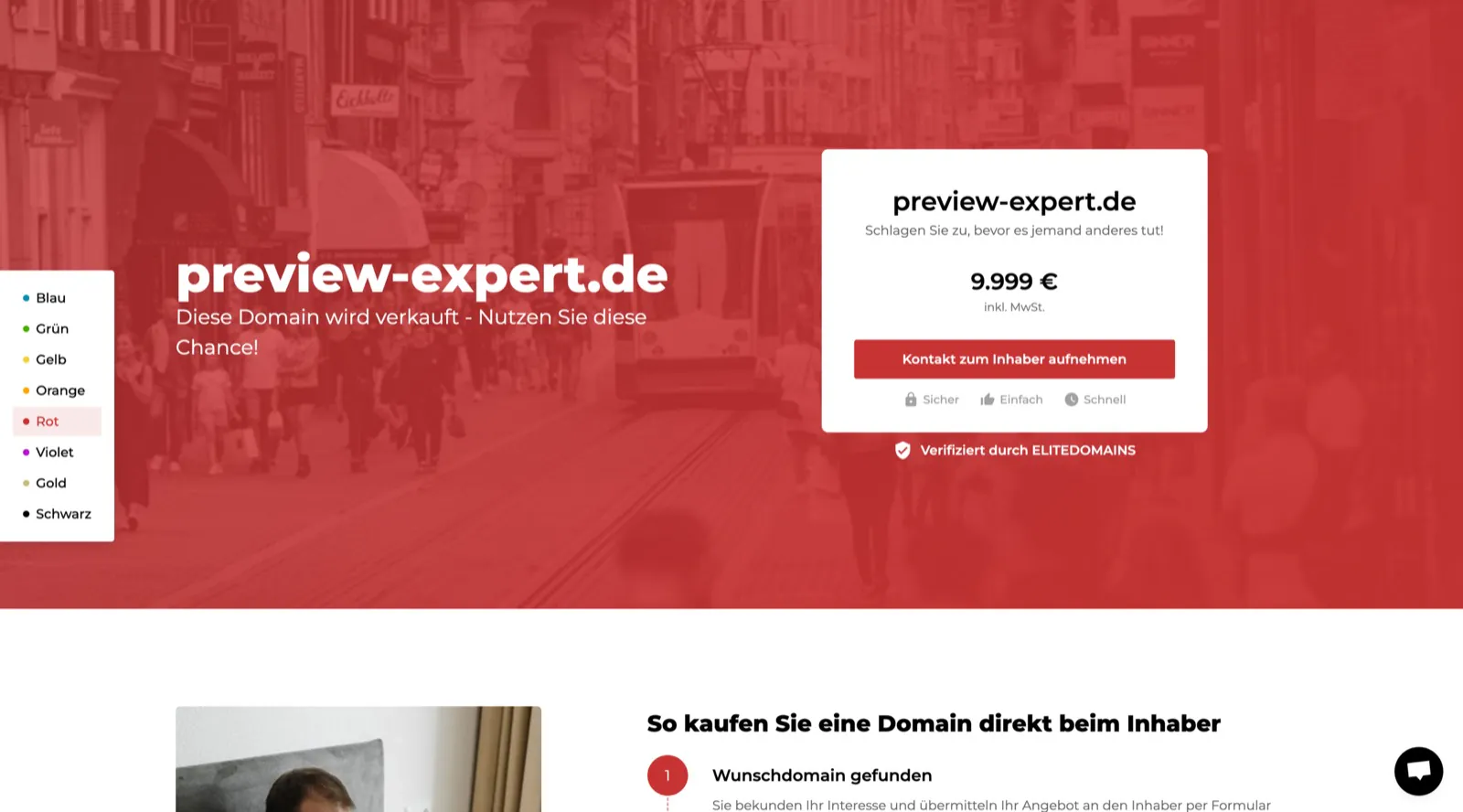
For your sale pages you choose from 5 templates (layouts): Slim, Classic, Standard, Smart and Expert. Every template shows all purchase options you select, i.e. buy now, price negotiation and contact requests. You customise it with 8 colour schemes, your own headline and your own text, and you change template and colours at any time, if you like in bulk for many domains at once.
#1) Which templates are there?
The link opens a live preview, in which you can also try out the colours:
| Template | Strength |
|---|---|
| Slim | reduced, fast and focused on the purchase |
| Classic, text variant security | puts the safe handling via the escrow agent at the centre |
| Classic, text variant sales | highlights the benefits of a good domain for the buyer's business |
| Standard | shows your image and text next to the offer |
| Smart | modern, clean design |
| Expert | explains the process to buyers in steps and the benefits of a premium domain |
Until November 2026, security and sales were two separate templates. Today they are the two text variants of Classic.
#2) Which purchase options does a template show?
Every template shows all purchase options you select for the sale page: "Buy Now" for buy now, "Negotiate the price" for price negotiation and "Get in touch" for contact requests. So you choose template and purchase options independently of each other.
A sales commission only applies if the domain is sold through our escrow service, whatever the template.
#3) What can I customise in a template?
In the settings of the sale page you design every template individually:
- Colour scheme: 8 colour schemes for all templates: blue, green, yellow, orange, red, violet, gold and black.
- Text variant: for Classic, security or sales.
- Display name, headline and content: you write the text yourself, with placeholders for domain and keyword. This way every sale page gets its own content.
- Image: your own image, for Slim, Classic and Standard.
- Price: fixed price for buy now; without buy now, your asking price.
- Contact details for negotiations: „Privat“ (private), „Kontaktdaten“ (contact details) or „Erweiterte Kontaktdaten“ (extended contact details); more under negotiations.
- Imprint: Every sale page shows the ELITEDOMAINS imprint with the note that you as the domain holder are liable for the content.
#4) How do I change the template of many domains?
You change template, colours, texts and price at any time. Because of caching, it takes up to 5 minutes until all changes are visible. For many domains, select them under „Verkauf“ → „Verkaufsseiten“ and choose „Bulk“ → „Verkaufsseiten bearbeiten“ (Sale → Sale pages → Bulk → Edit sale pages). There you choose template and purchase options under „Design und Verkaufsart“ (design and sale type).
How to set up a new sale page is described under Create a sale page.
All templates compared are shown on the page Templates for sale pages.
- What are backlink domains (expired traffic domains)?
- How do I sell several domains as a bundle?
- What should I know before buying a domain?
- How does buy now with escrow service work?
- How do contact requests on sale pages work?
- How do I create a sale page for my domain?
- How do I verify my domain with a TXT record?
- How can I sell domains with ELITEDOMAINS?
- How do negotiations work when selling a domain?
- How does my domain get onto the marketplace?
- What is the Sedo MLS network?
- What are portfolios and how do I create one?
- What price should I set for my domain?
- How do I synchronise domains with Sedo (MLS sync)?
- Which statistics do the sale pages show?
- How is VAT calculated for sellers?
- Bought a domain – what now? How the transfer works
- How do I verify external domains for sale pages?
Last updated on 28/11/2026 at 20:05
Let's go!
Create your account now
Register your next domain with us and compare us with your current provider. The account is free.
Join for free now
