#How do I sell several domains as a bundle?
 FAQ: This is the help centre of ELITEDOMAINS. We are a domain provider that lets you manage domains simply and smartly. We also run a domain catcher, a domain marketplace and attractive landing pages to sell domains automatically.
Contents
With a bundle you sell several of your domains together for one price. Buyers always buy a bundle by buy now with the ELITEDOMAINS escrow service, with one payment and one invoice for all domains. You decide whether the domains also remain available individually and whether buyers may offer a price for the whole bundle.
#1) What is a bundle?
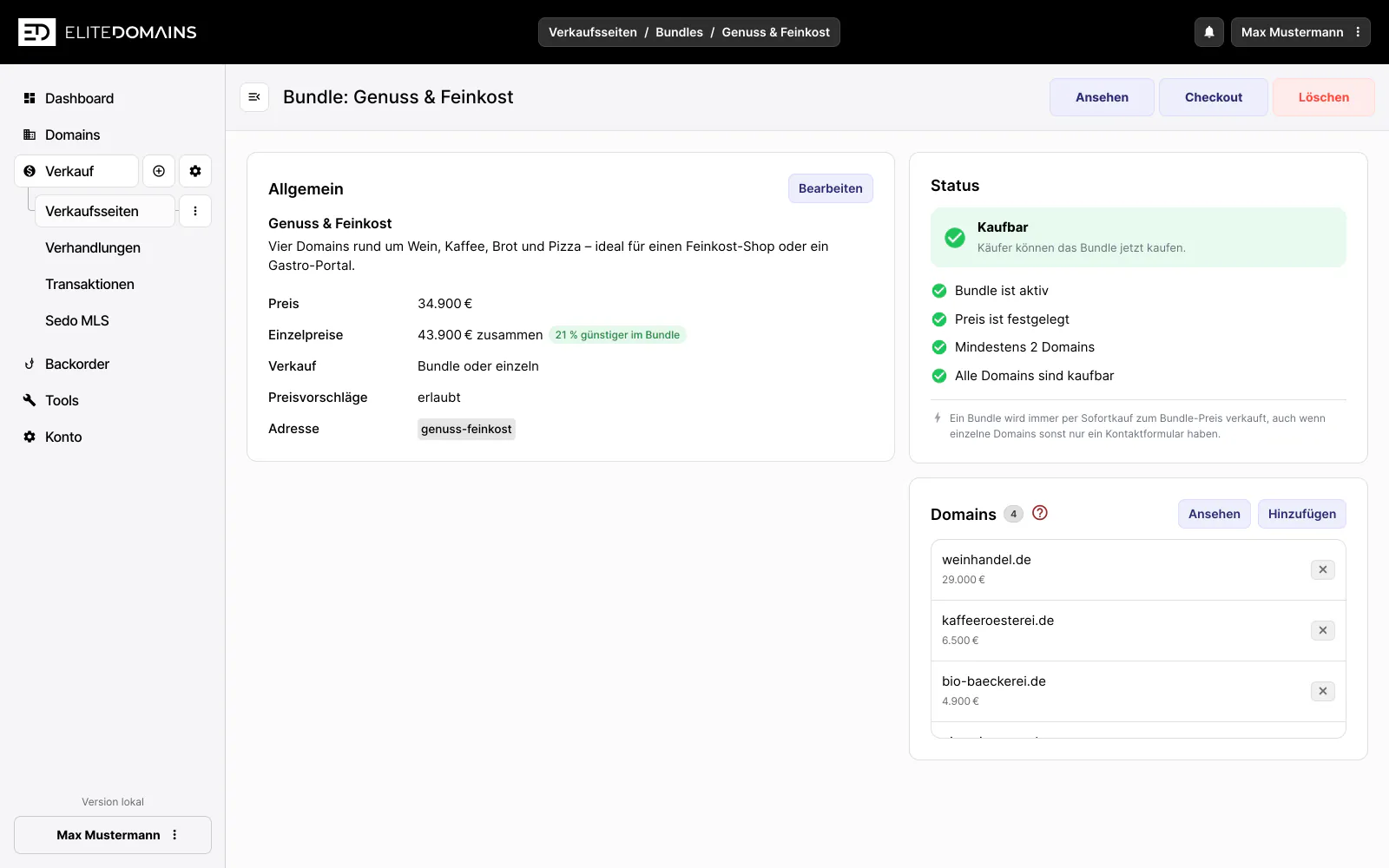
A bundle combines several domains into one offer with its own price, for example a domain with its typo variants or the same domain with several extensions. Each bundle has its own bundle page, where buyers see all included domains, the bundle price and the saving compared with buying individually.
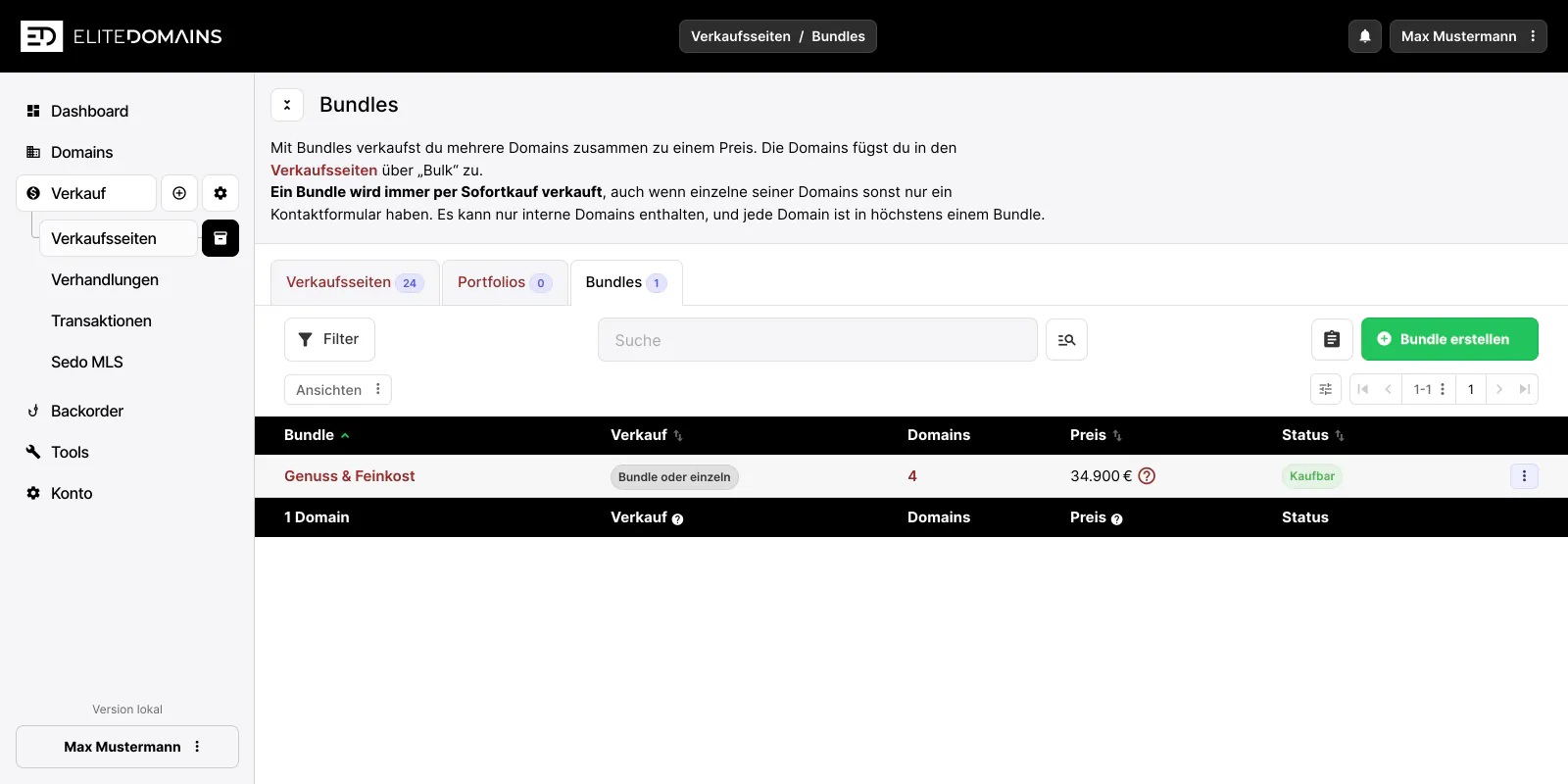
You find your bundles under „Verkauf“ → „Verkaufsseiten“ (Sale → Sale pages) in the tab „Bundles“.
#2) Which domains can go into a bundle?
These rules apply to domains in a bundle:
- Internal domains: A bundle only contains domains you manage at ELITEDOMAINS. External domains are not possible.
- Sale page: Each domain needs a set-up sale page, whatever its purchase options.
- One bundle per domain: A domain is in at most one bundle.
- At least two domains: With fewer domains the bundle cannot be bought.
#3) How do I create a bundle?
In the tab „Bundles“ click „Bundle erstellen“ (create bundle) and enter the name, price in euros and the type of sale. Then select the desired domains under „Verkaufsseiten“ and choose „Bulk“ → „Zu Bundle hinzufügen“ (add to bundle). With „Aus Bundle entfernen“ (remove from bundle) you take a domain out again.
Buyers see the name wherever the domain name would otherwise appear, i.e. in the checkout, in emails and on documents. In the bundle settings you add the address of the bundle page and a description.
You can also create bundles via the API or your AI assistant via the MCP server.
#4) Do the domains remain available individually?
You set this with the setting „Verkauf“ (sale):
| Sale | Effect |
|---|---|
| „Bundle oder einzeln“ (bundle or individually) | The bundle can be bought by buy now, and each domain remains available via its own sale page. |
| „Nur als Bundle“ (only as bundle) | The domains can only be bought together as a bundle. Their own price and the buy button disappear from their sale pages. |
#5) How does a buyer buy a bundle?
A bundle is always sold by buy now with escrow service at the bundle price, even if individual domains otherwise have no buy now, for example only contact requests. The buyer pays once and receives one invoice for all domains. ELITEDOMAINS takes over the domains as escrow agent, and the buyer finds the AuthCodes of all domains together on a status page, also as a CSV file.
While a purchase is in progress, you cannot change the bundle's domains or delete the bundle. If the purchase is not completed, the bundle is free again.
#6) Can buyers offer a price for the bundle?
Yes, if you switch on „Preisvorschläge erlauben“ (allow price offers) in the bundle settings. Buyers then offer you a lower price for the whole bundle. You find the offer in your negotiations. If you accept it, the buyer buys the bundle by buy now at this price.
#7) When can a bundle be bought?
In the list of your bundles, the status shows „Kaufbar“ (available), „Nicht kaufbar“ (not available) or „Deaktiviert“ (deactivated). A bundle can be bought if all of these points are met:
- It is active. A deactivated bundle cannot be bought, but its domains stay in it.
- It has a price and at least two domains.
- Each domain has a verified sale page, whatever its purchase options, and no purchase is in progress for any of them.
- What are backlink domains (expired traffic domains)?
- What should I know before buying a domain?
- How does buy now with escrow service work?
- How do contact requests on sale pages work?
- How do I create a sale page for my domain?
- How do I verify my domain with a TXT record?
- How can I sell domains with ELITEDOMAINS?
- Which templates are there for sale pages?
- How do negotiations work when selling a domain?
- How does my domain get onto the marketplace?
- What is the Sedo MLS network?
- What are portfolios and how do I create one?
- What price should I set for my domain?
- How do I synchronise domains with Sedo (MLS sync)?
- Which statistics do the sale pages show?
- How is VAT calculated for sellers?
- Bought a domain – what now? How the transfer works
- How do I verify external domains for sale pages?
Last updated on 28/11/2026 at 21:07
Let's go!
Create your account now
Register your next domain with us and compare us with your current provider. The account is free.
Join for free now
