#How do I create a sale page for my domain?
 FAQ: This is the help centre of ELITEDOMAINS. We are a domain provider that lets you manage domains simply and smartly. We also run a domain catcher, a domain marketplace and attractive landing pages to sell domains automatically.
Contents
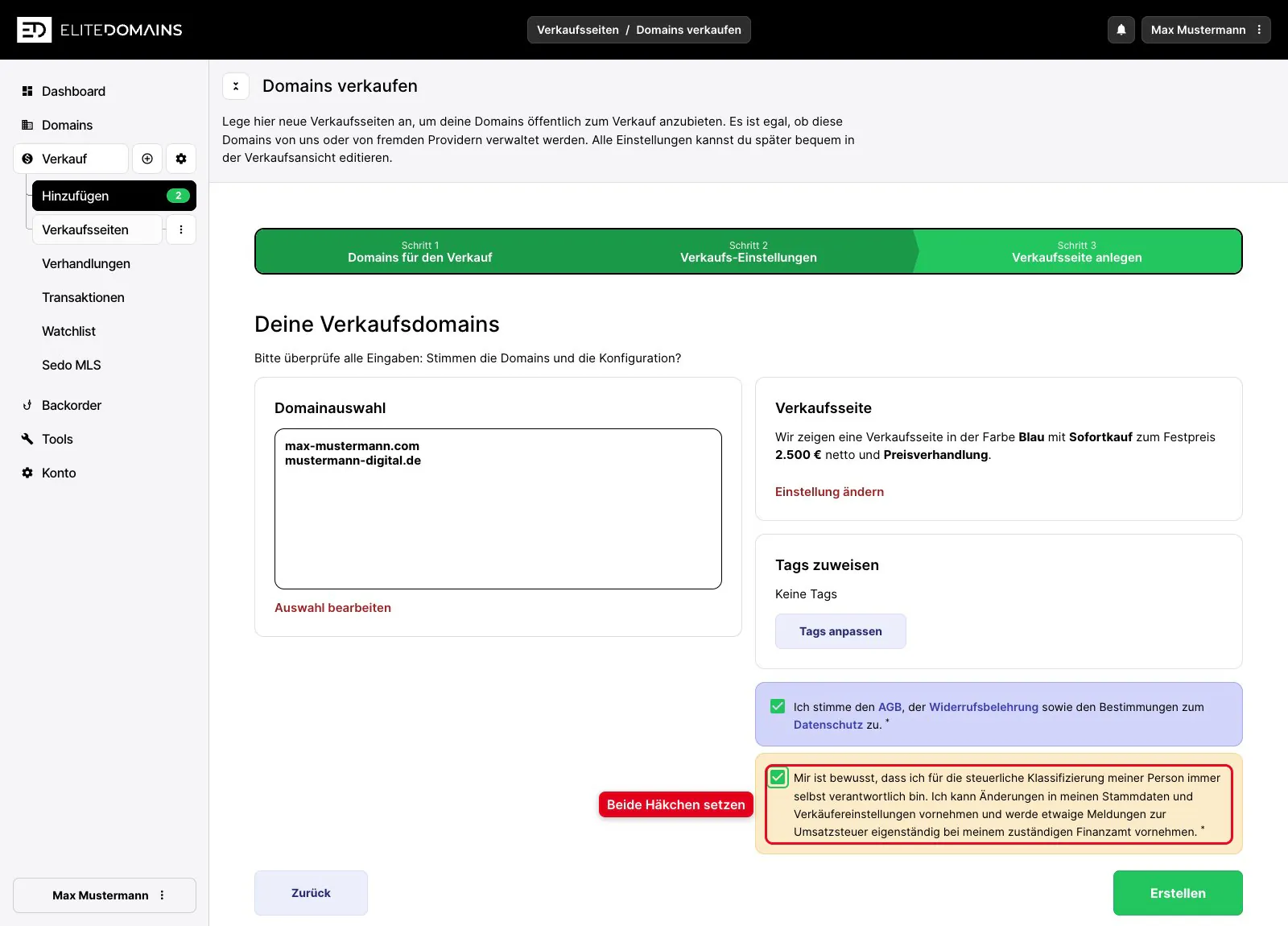
You create a sale page in three steps: select domains, set template, purchase options and price, and check the order. This works via your domain portfolio or under „Verkauf“ › „Verkaufsseiten“ (Sale › Sale pages) and is the same for internal and external domains. You then verify external domains as described under Verifying external domains. An overview of selling domains is given in Selling domains.
#1) How do I select the domains?
You have two ways:
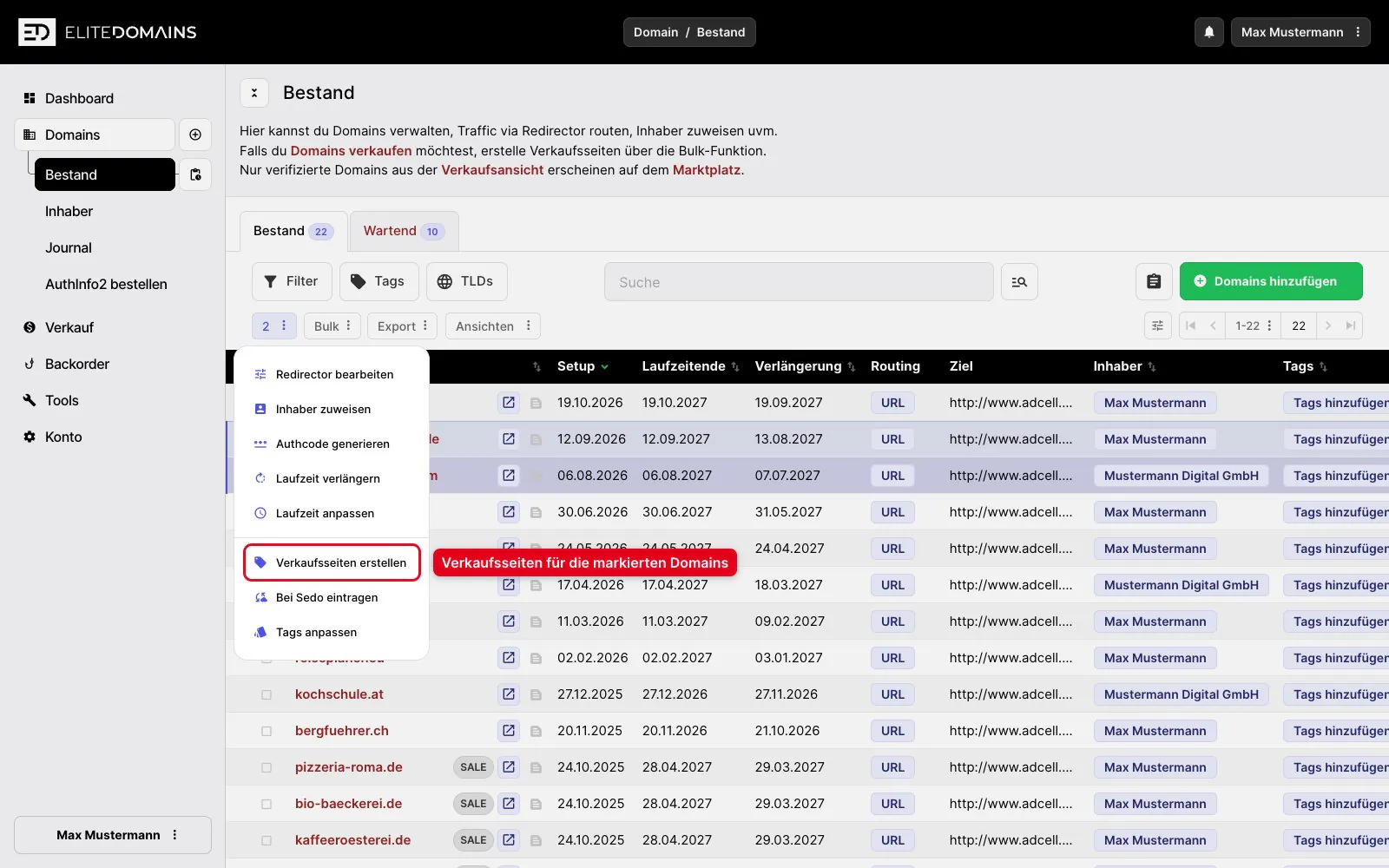
- Via your domain portfolio: Select the domains in your domain portfolio, choose Verkaufsseiten erstellen (create sale pages) in the bulk function and click Weiter (next).
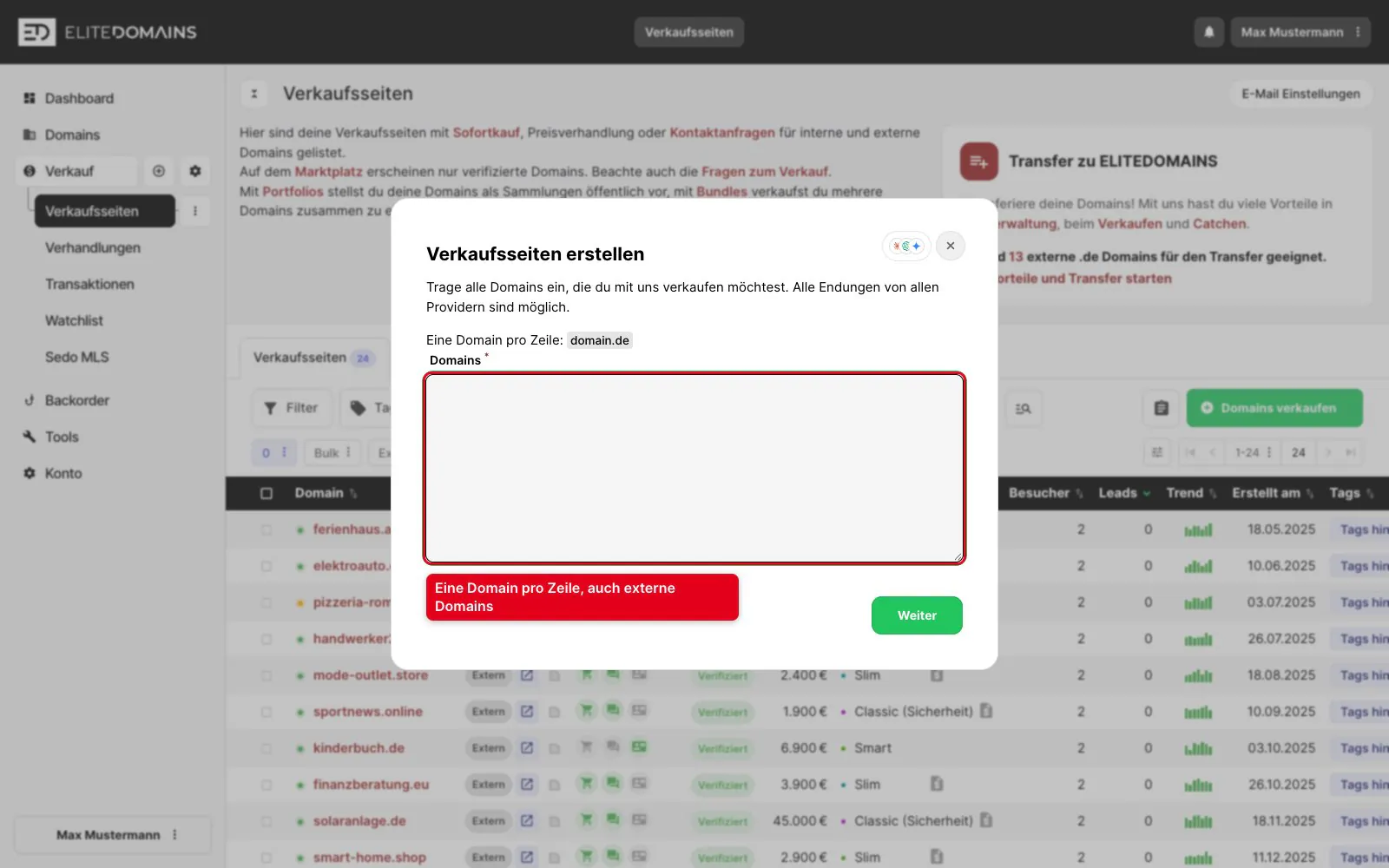
- Via the sale pages: Open Verkauf › Verkaufsseiten › Domains verkaufen (Sale › Sale pages › Sell domains), enter the domains in the window Verkaufsseiten erstellen and click Weiter. This way you also create pages for external domains that are with another provider.
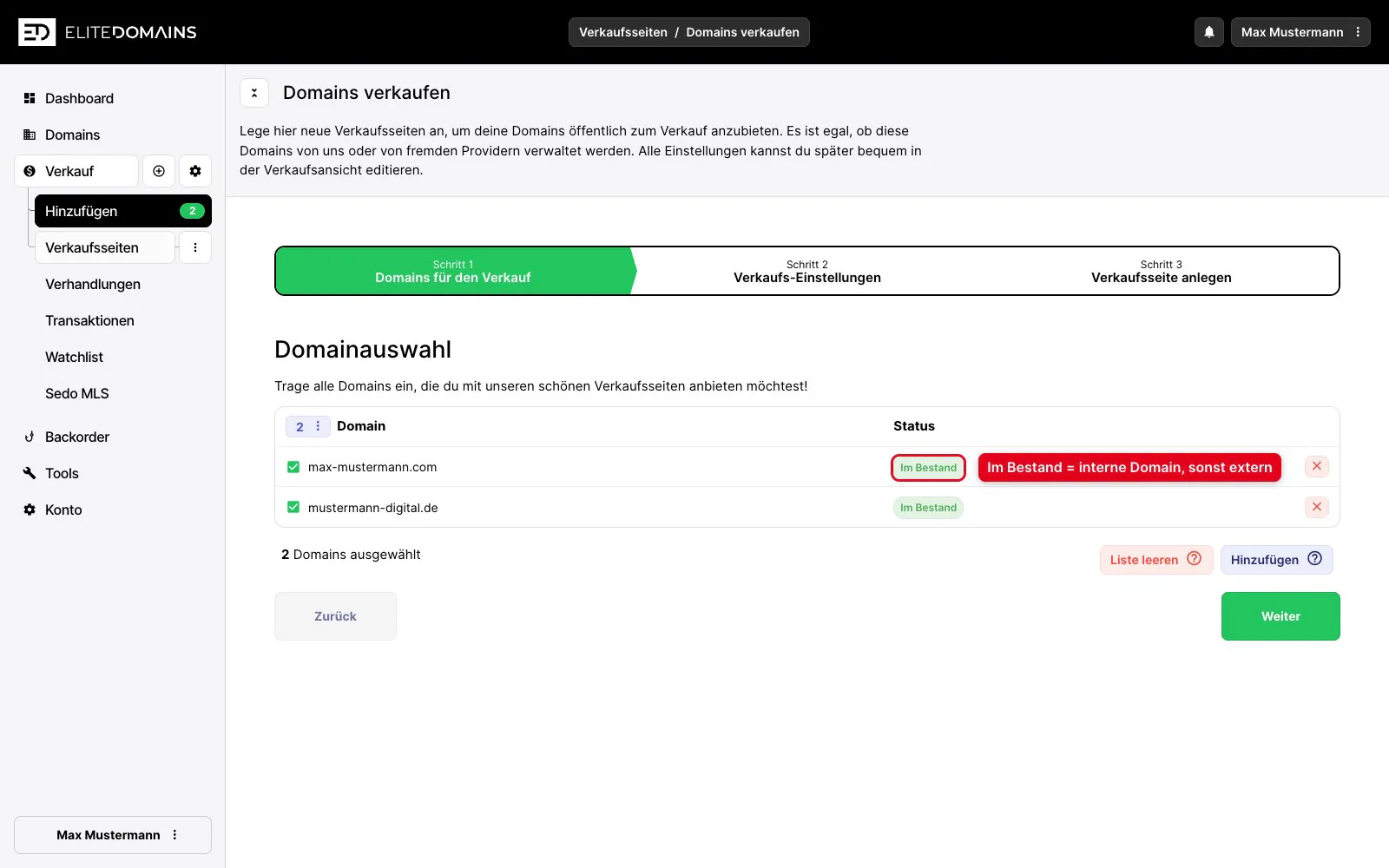
On the next page you add more domains or remove individual ones. The status shows whether a domain is internal („Im Bestand“, in portfolio) or external. Then click Weiter.
#2) Which settings do I make?
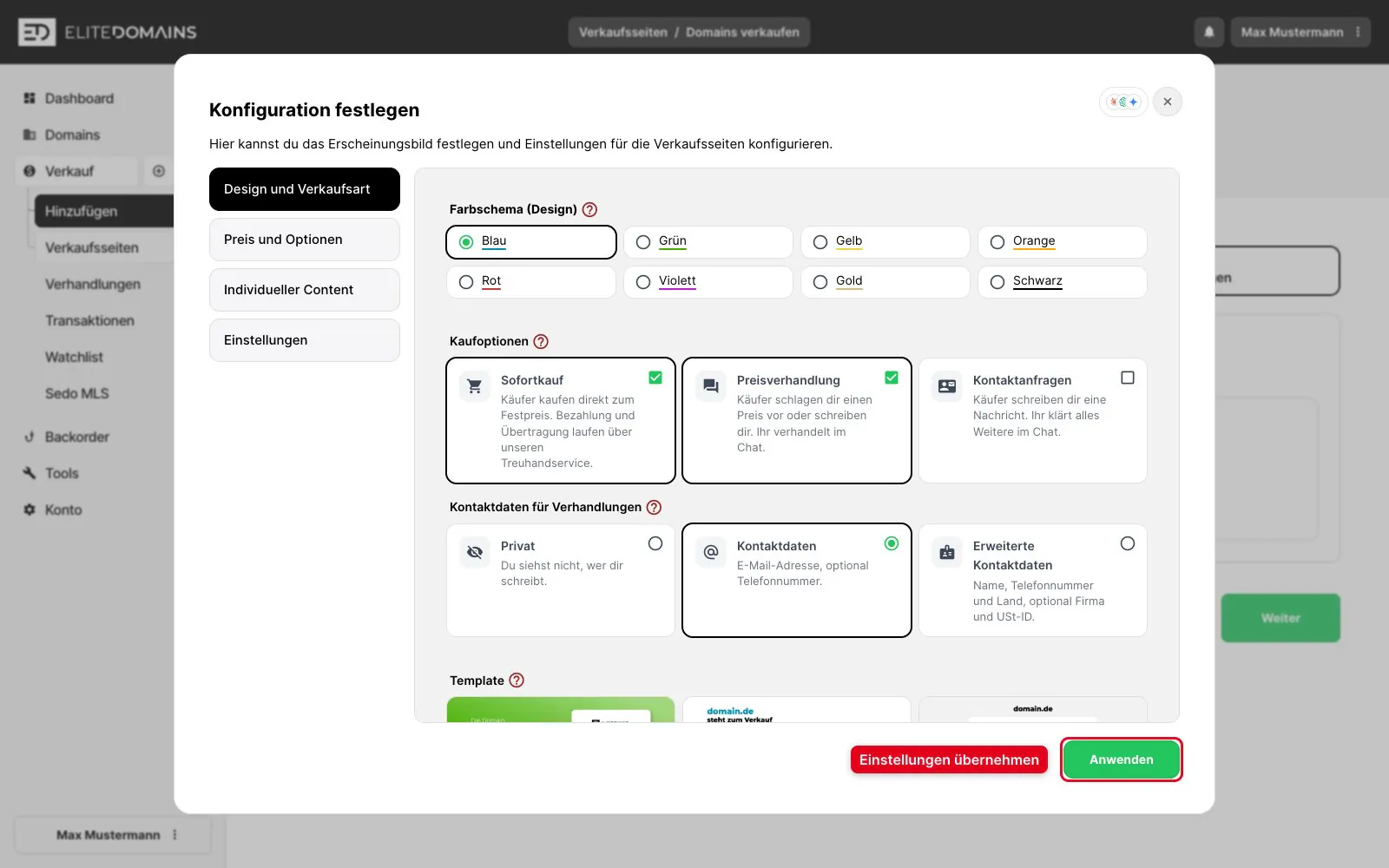
Click Konfiguration festlegen (set configuration) and choose:
- Design: the template of the sale page.
- Purchase options: buy now with escrow service, price negotiation and contact requests, individually or combined.
- Price: your fixed price or asking price; tips under Setting the price.
- Content: your own text for the page if you like.
Then click Anwenden (apply).
#3) How do I complete the creation?
Tick the two boxes: with them you accept the terms, cancellation policy and privacy policy and confirm that your details on tax classification are correct. Then click Erstellen (create).
#4) What happens next?
- Internal domains: They don't need verification. Every verified sale page automatically appears on the marketplace.
- External domains: You verify the domain within 7 days via name servers or a TXT entry, otherwise we deactivate the sale page.
- What are backlink domains (expired traffic domains)?
- How do I sell several domains as a bundle?
- What should I know before buying a domain?
- How does buy now with escrow service work?
- How do contact requests on sale pages work?
- How do I verify my domain with a TXT record?
- How can I sell domains with ELITEDOMAINS?
- Which templates are there for sale pages?
- How do negotiations work when selling a domain?
- How does my domain get onto the marketplace?
- What is the Sedo MLS network?
- What are portfolios and how do I create one?
- What price should I set for my domain?
- How do I synchronise domains with Sedo (MLS sync)?
- Which statistics do the sale pages show?
- How is VAT calculated for sellers?
- Bought a domain – what now? How the transfer works
- How do I verify external domains for sale pages?
Last updated on 28/11/2026 at 20:05
Let's go!
Create your account now
Register your next domain with us and compare us with your current provider. The account is free.
Join for free now
