#How can I register domains?
 FAQ: This is the help centre of ELITEDOMAINS. We are a domain provider that lets you manage domains simply and smartly. We also run a domain catcher, a domain marketplace and attractive landing pages to sell domains automatically.
Contents
To own domains you need a domain provider with which you can register and manage domains. ELITEDOMAINS with low domain prices is a good choice as a domain provider. You need a free account, which you set up in a few minutes. Here is a step-by-step guide to registering domains.
#Video guide
As a summary of the step-by-step guide, you are also welcome to watch our detailed video guide (in German). Here is the video:
#1) Enter domains
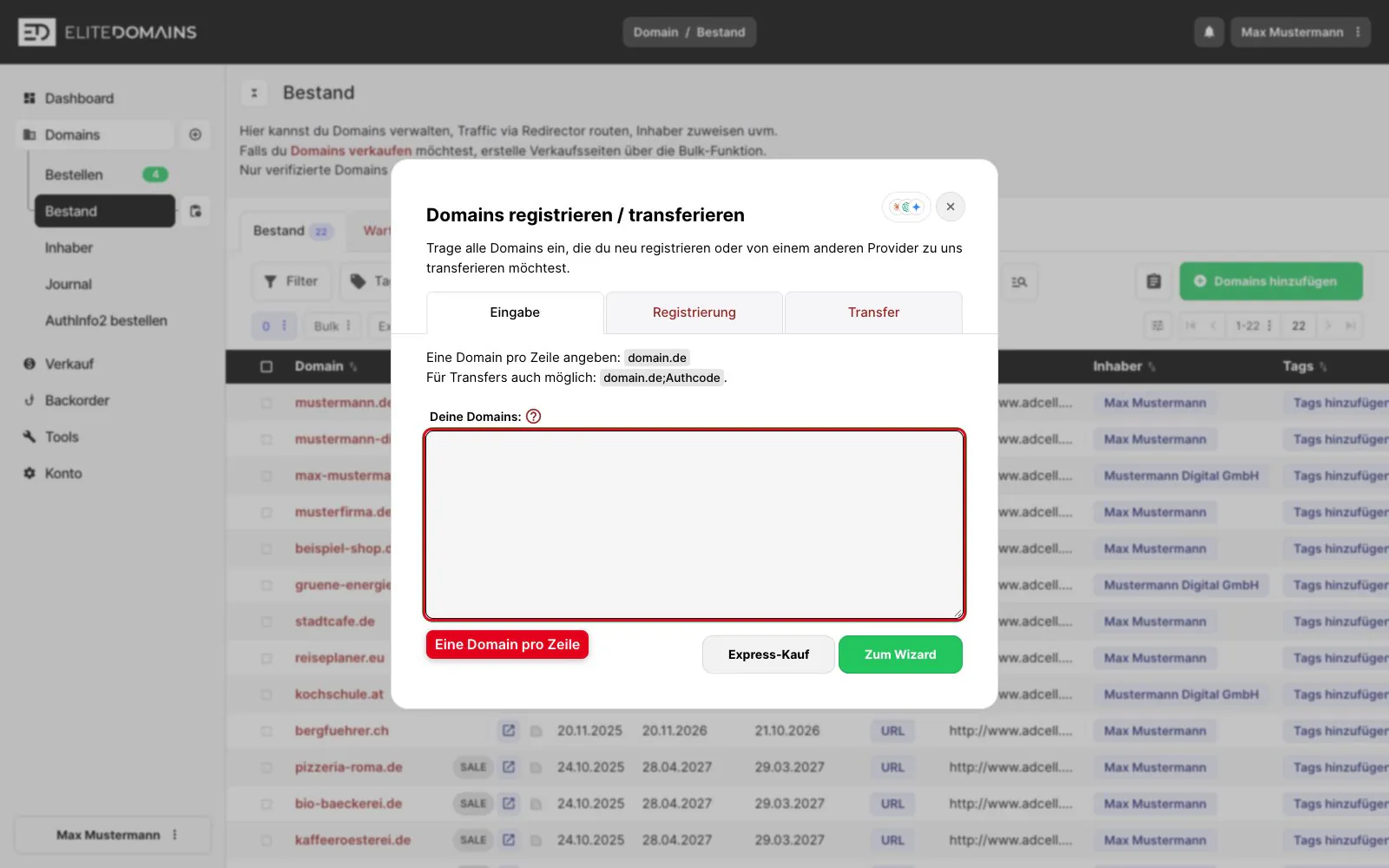
In your domain portfolio, click „Domains hinzufügen“ (add domains) and enter your desired domains, one domain per line. You can enter a single domain or several domains at the same time. Instead of the list in the tab „Eingabe“ (input), you can also enter them line by line in the tab „Registrierung“ (registration). Which of the over 600 supported extensions you can use and what they cost is in our price list.
#2) Check availability
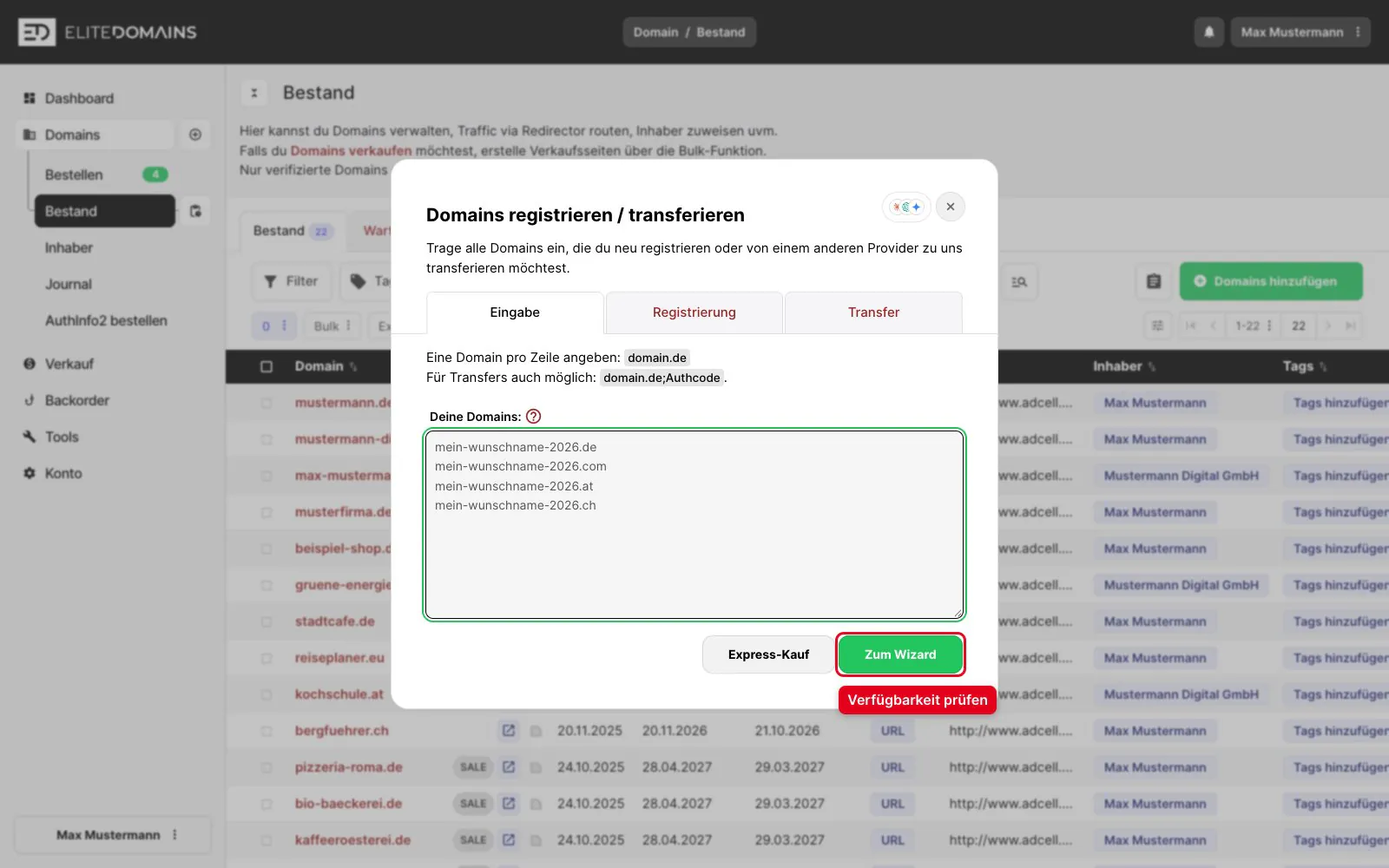
Once you have entered all domains, click „Zum Wizard“ (to the wizard). If you have stored a default holder and a default Redirector in your account, you can order with „Express-Kauf“ (express purchase) even without the holder and Redirector steps. In the next step you can check whether your desired domains are still free at all. This is always an exciting moment. The registry classifies some domains as premium domains. You cannot register these with us.
#3) Select domains
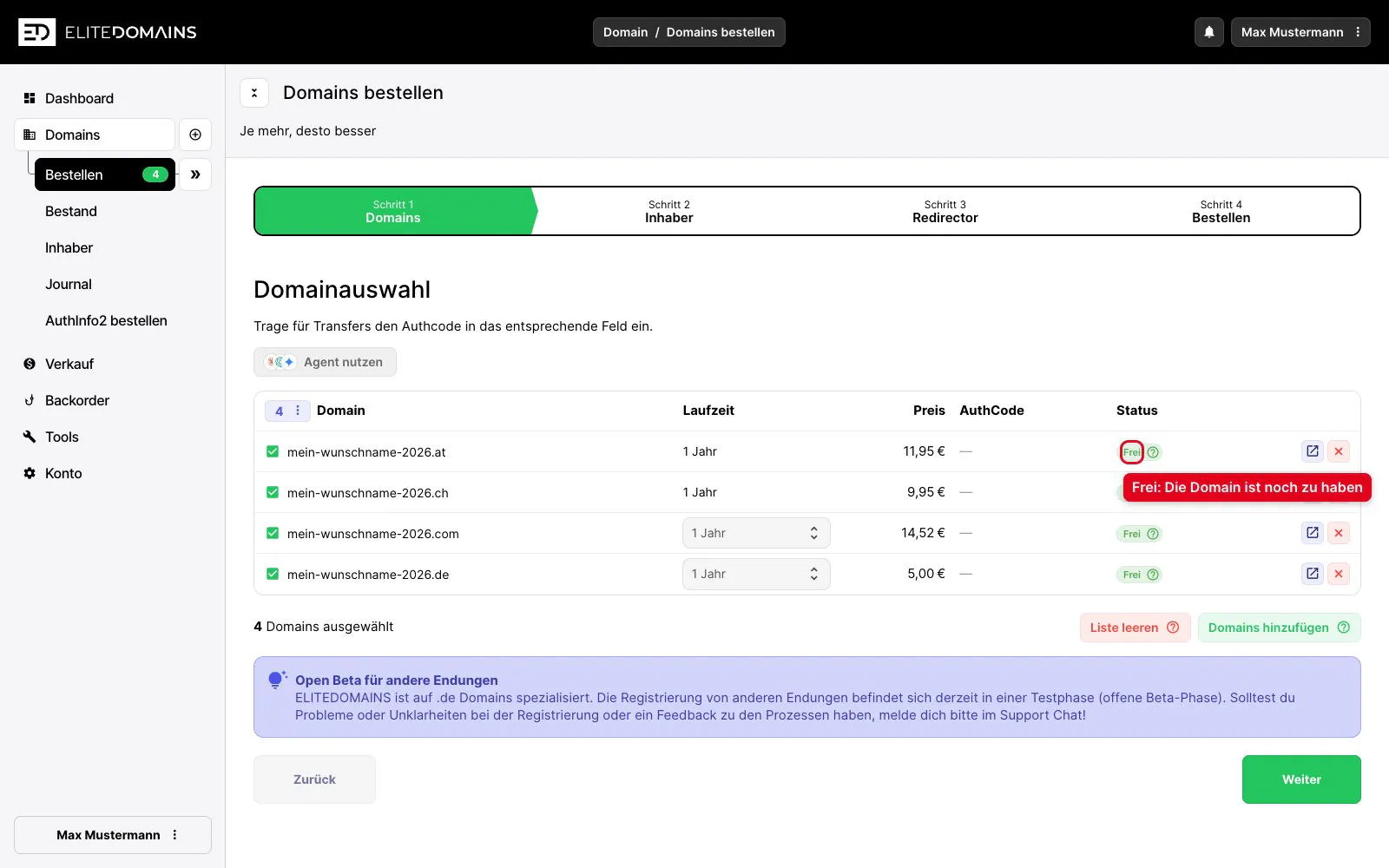
For every domain you see whether it is still FREE or already TAKEN. You then select all domains you actually want to register. If you like, you can add more domains by clicking „Domains hinzufügen“, or delete individual domains by clicking the red "X" on the right. You see term and price per domain.
#4) Choose the domain holder
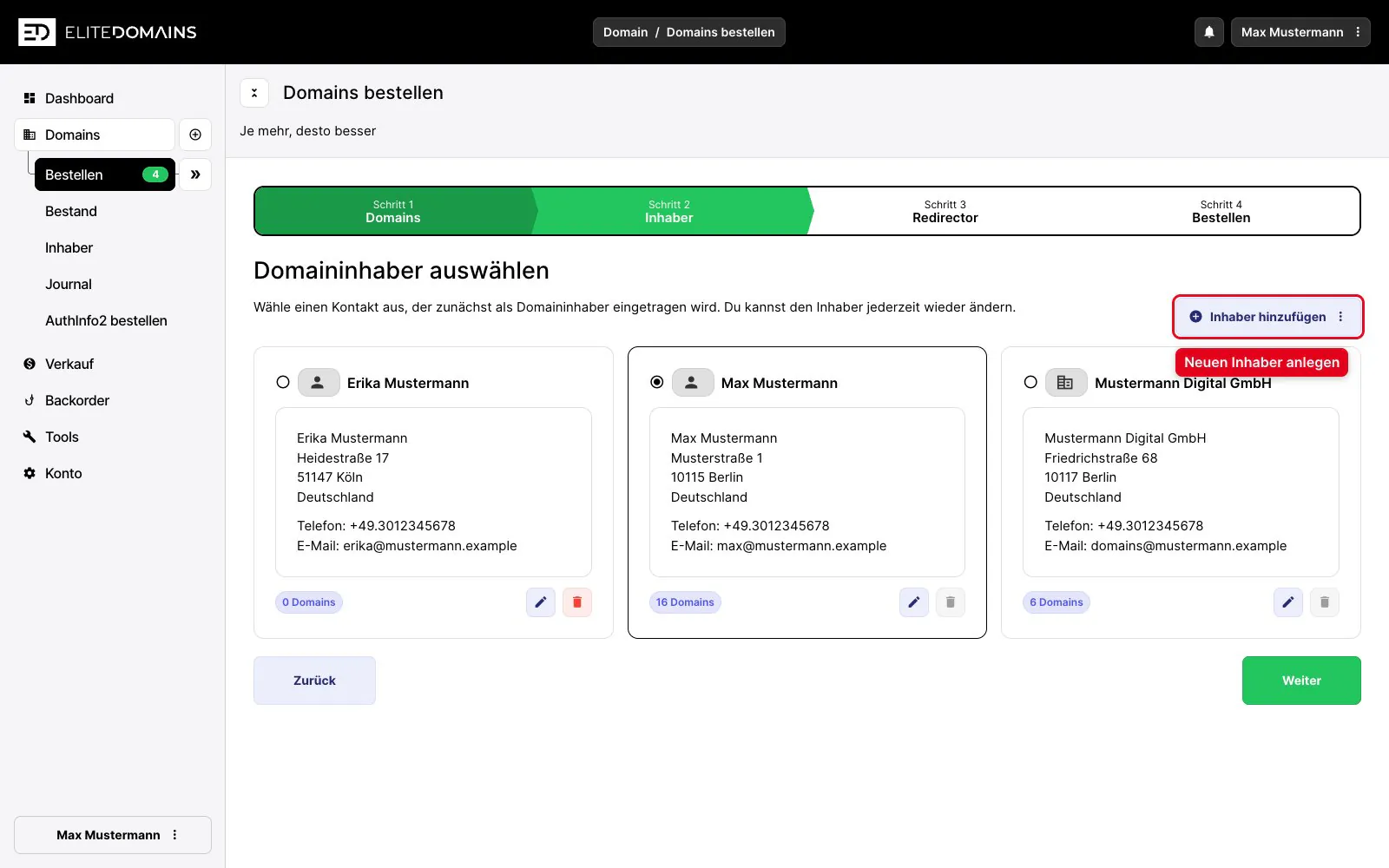
Now you specify in the ordering process to whom the domains should belong. For this you must set a so-called domain holder. If you haven't created a holder record yet, you create a new holder (handle) with „Inhaber hinzufügen“ (add holder):
#5) Connect the domains
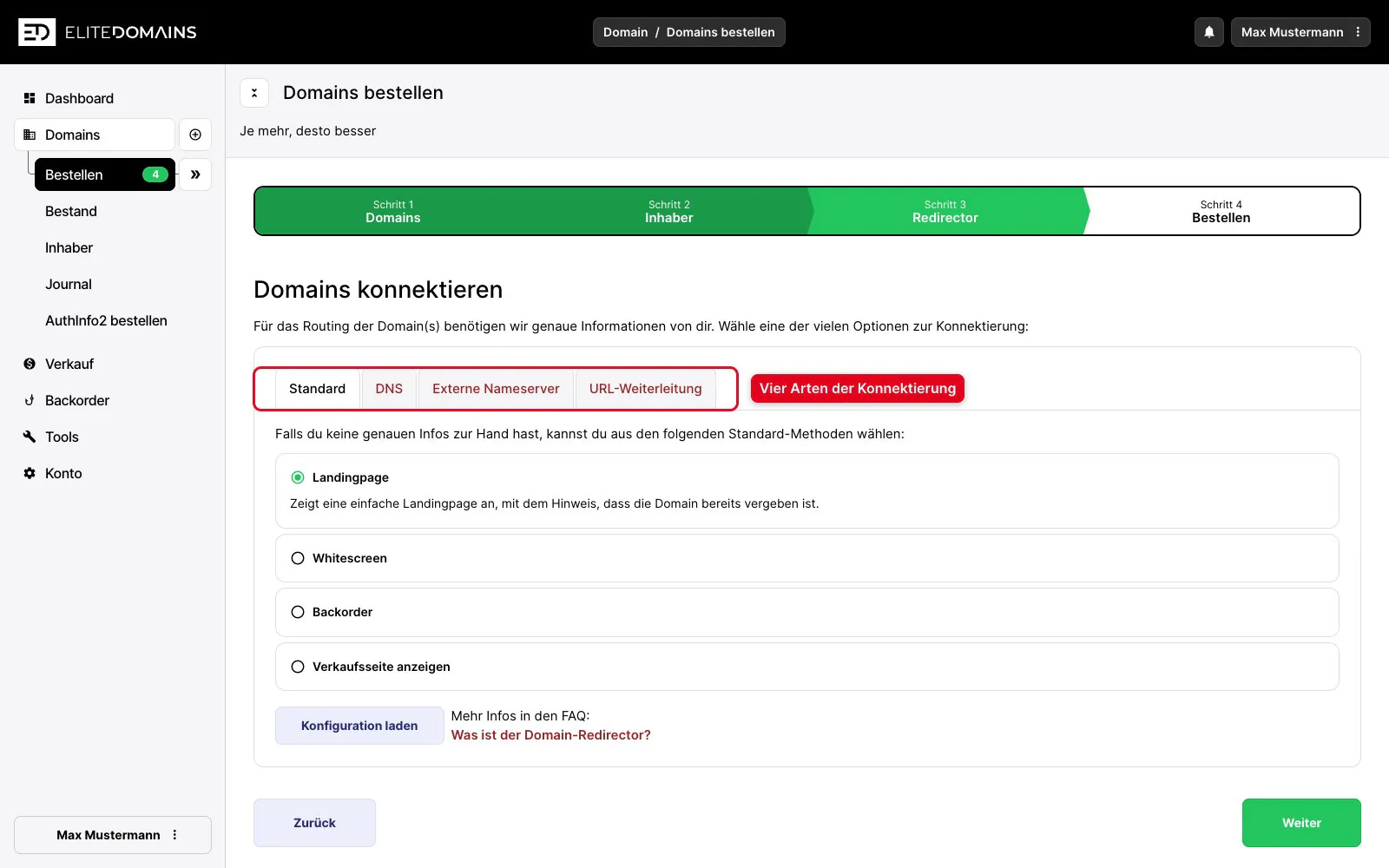
In the Redirector you now define the destination for the domains' internet visitors. Our Redirector offers 4 types of domain connection. You can choose between four standard routing methods such as the landing page, the white screen, backorder or a sale page; you can point your domain(s) to our name servers (DNS); you can use external name servers; or you can forward your domain(s) to an existing project (URL forwarding).
#6) Confirm the order
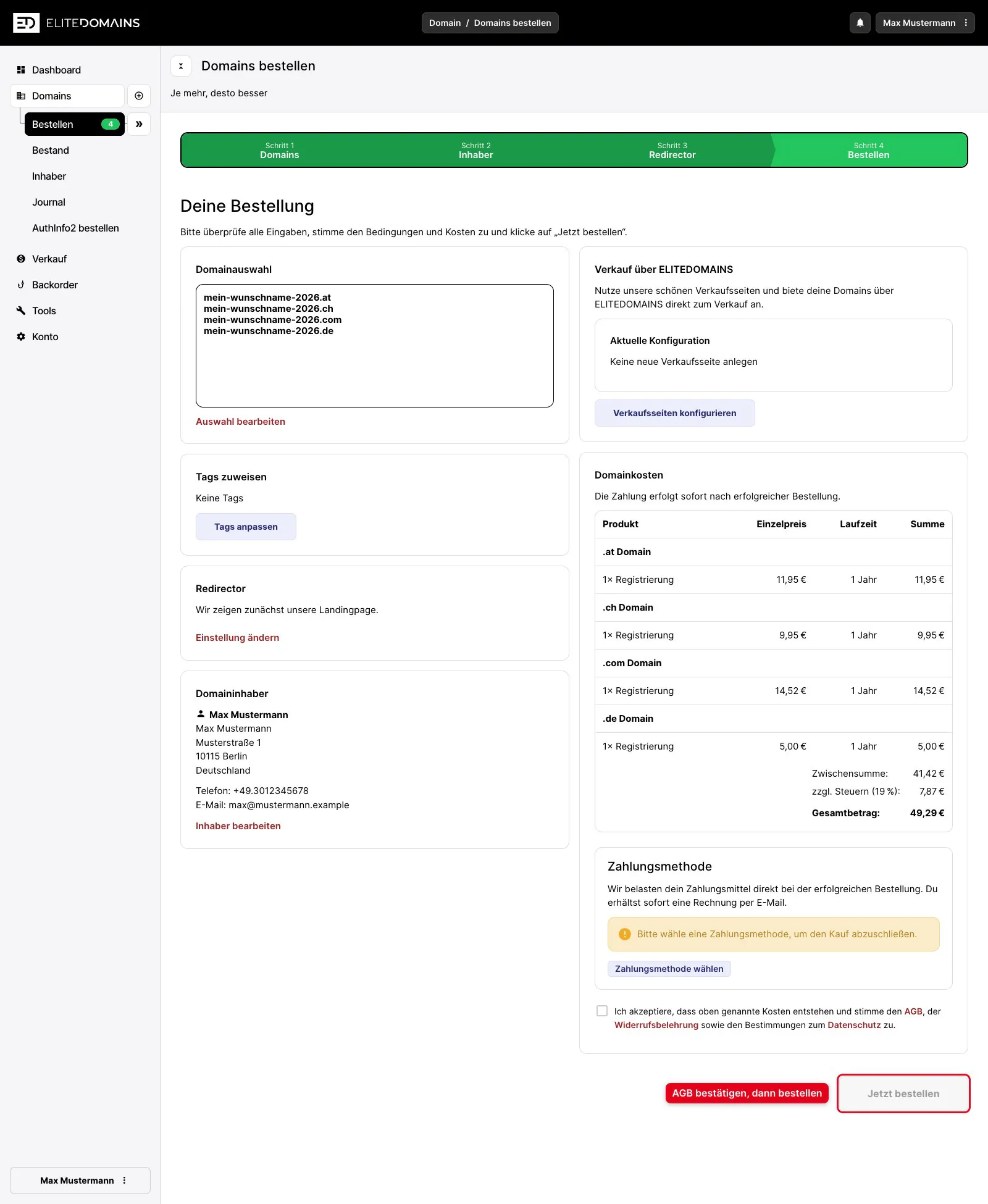
Here you get the summary of your domain registrations. Here too you can configure a sale page or create tags. Under „Domainkosten“ (domain costs) you see the prices. To complete the order, you accept our terms and click „Jetzt bestellen“ (order now).
#7) Verify the holder
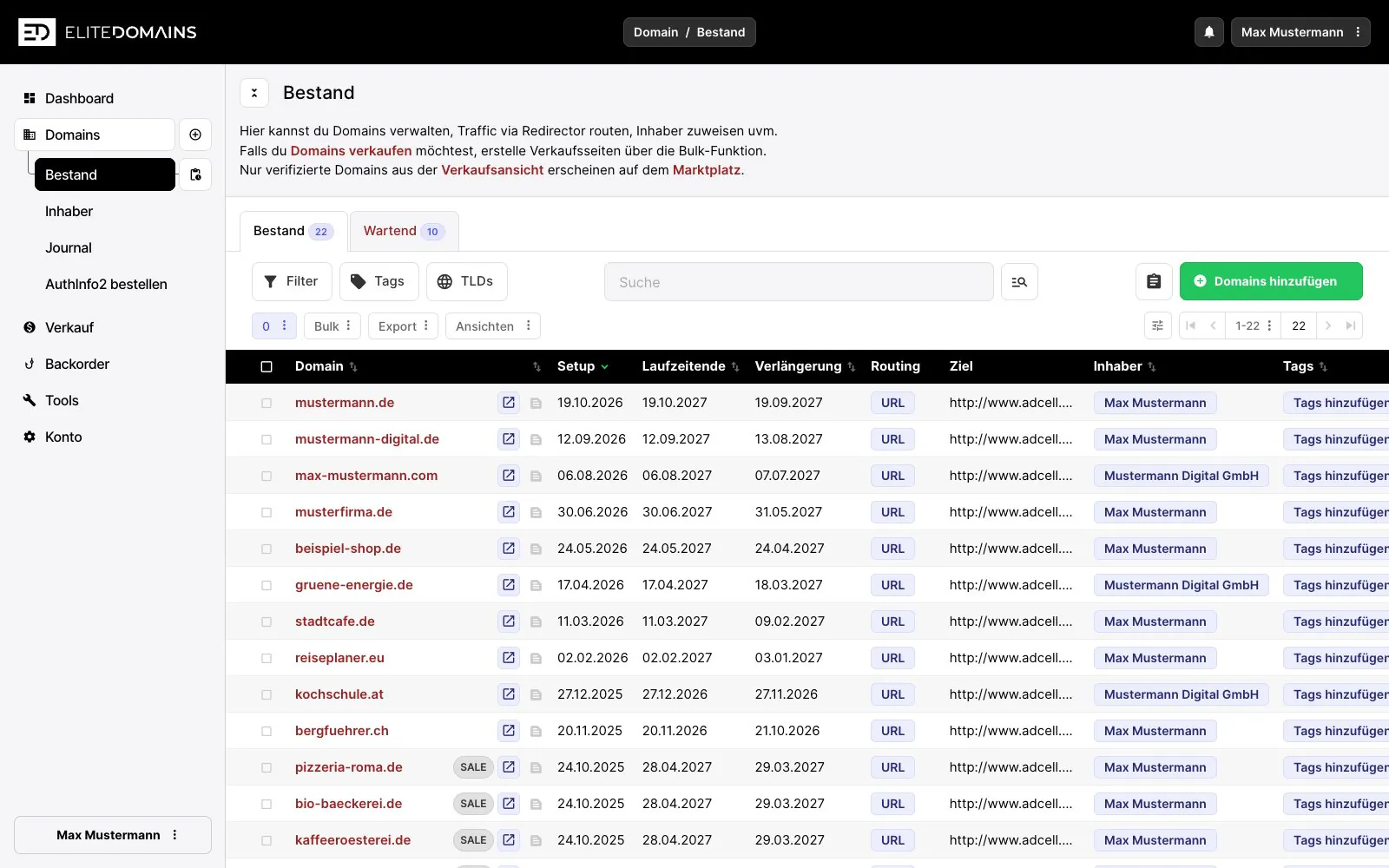
For some extensions you then still have to verify the holder. Such domains are listed in your domain portfolio in the tab „Wartend“ (pending) until the confirmation is there.
#8) Manage domains
Your domains have been registered successfully in real time. From now on, all new domains appear in your domain management, the so-called domain portfolio. We wish you lots of fun registering and managing your domains at ELITEDOMAINS!
- What is the AuthCode (AuthInfo) for a domain transfer?
- How can I delete domains or let them expire?
- Which domain contacts (handles) do domains have?
- What is the HOLD status for domains?
- Domain life cycle: when deleted domains become free
- How do I manage domains with tags, filters and notes?
- What are premium domains and why are they more expensive?
- Moving a domain: AuthCode at IONOS, Strato & co.
- How can I rescue a .de domain?
- What is a RESTORE order for deleted domains?
- What is the Redemption Grace Period (RGP) for .de domains?
- What is the difference between ccTLD, gTLD and newTLD?
- Moving and transferring a domain: transfer guide
- Why do I have to confirm a domain transfer?
- How does the transfer service for domains work?
Last updated on 28/11/2026 at 21:10
Let's go!
Create your account now
Register your next domain with us and compare us with your current provider. The account is free.
Join for free now
